
Common Digital Signage Mistakes and How to Avoid Them
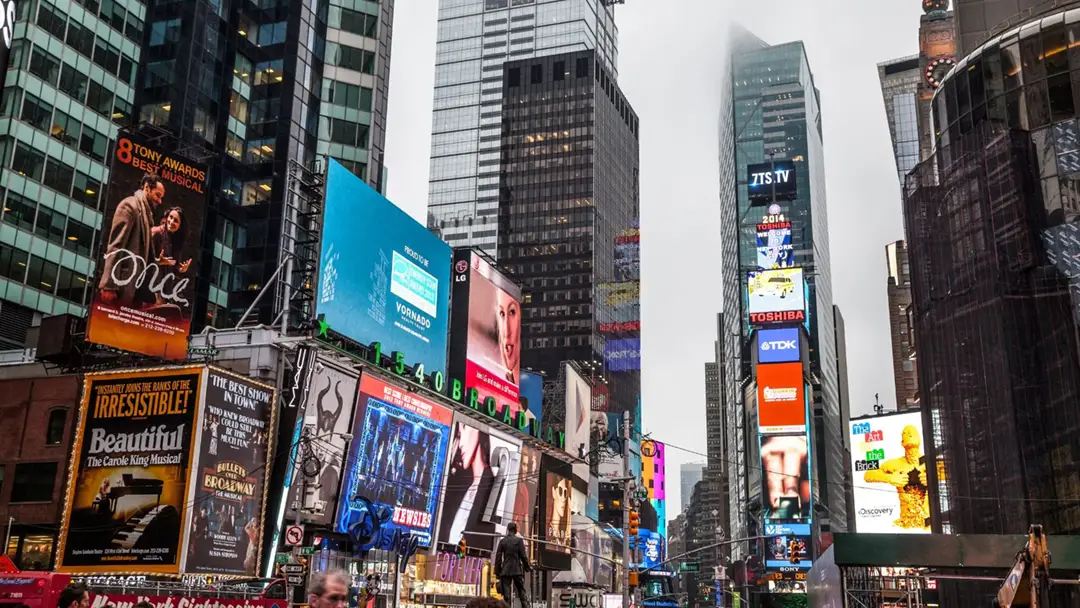
Digital signage has become one of the most effective ways for organizations to inform, engage, and influence audiences. From retail to corporate communications, hospitality, transportation, and QSR, screens now function as real-time brand ambassadors—delivering relevant content at critical moments.
Despite its growth, however, many organizations still fall into preventable digital signage mistakes that weaken impact, slow down operations, and reduce ROI. These pitfalls are rarely technical; more often they stem from planning gaps, workflow issues, or content management challenges.
In this guide, we’ll break down the most common digital signage content mistakes, explain why they happen, and share digital signage best practices—including best practices for managing event-specific signage content and best practices for managing simultaneous signage rollouts across multiple locations.
1. Mistake #1: Treating Digital Signage Like Static Print Media
One of the most common digital signage mistakes is designing content as if it will be consumed like a poster or banner. Digital signage is not static—it’s dynamic, contextual, and time-bound.
Why This Happens
Organizations often repurpose existing print assets to save time or budget. Unfortunately, print assets usually feature dense text, visual clutter, or proportions that don’t translate well to screens.
Why It’s a Problem
-
Viewers expect fast, glance-able content
-
Long text reduces readability and engagement
-
Misaligned layouts make the content feel unprofessional
-
The message becomes harder to process at typical viewing distances
How to Avoid It
-
Follow a “5-second rule”: a viewer should understand the core message in five seconds
-
Use large, high-contrast typography
-
Prioritize motion, sequencing, and visual hierarchy
-
Keep message structure simple: headline → supporting visual → call-to-action
Signage Best Practice: Create a design guide specifically for digital signage—not for print. Include rules for motion, duration, color contrast, and safe margins.
2. Mistake #2: Using the Wrong Content Duration and Playlist Length
Content that plays too quickly or too slowly can drastically reduce effectiveness. This is a frequent digital signage content mistake.
Why This Happens
Often, organizations guess playlist timing or copy durations from other media formats like TV or social media.
Why It’s a Problem
-
Too short: Viewers cannot absorb the message
-
Too long: People lose interest or walk away
-
Oversized playlists: Key messages rarely appear
-
Under-scheduled playlists: Content feels repetitive
How to Avoid It
-
Set content durations based on dwell time (e.g., checkout line vs. elevator vs. lobby)
-
Keep playlists lean—quality over quantity
-
Run A/B tests to optimize performance
-
Use data-driven rules to automate scheduling, ensuring priority messages appear more often
Digital Signage Best Practice: For most environments, 8–12 seconds per content item is ideal—long enough to understand, short enough to stay engaging.
3. Mistake #3: Failing to Localize Content Across Multiple Locations
Organizations with multiple branches or regions often miss the need to tailor content locally—one of the most overlooked digital signage mistakes.
Why This Happens
Teams assume that corporate content fits every store, office, or region. But audiences differ widely in behavior, language, and expectations.
Why It’s a Problem
-
Customers see irrelevant messaging
-
Regions cannot promote unique offers or events
-
Staff feel disconnected from company-wide campaigns
-
Brand consistency weakens across the network
How to Avoid It
-
Establish a global/local content model (80% global, 20% localized)
-
Give local managers limited permission to publish region-specific content
-
Use metadata and rules to automate regional targeting
-
Maintain a content library with approved localized variations
Signage Best Practice: Use software that supports dynamic content tagging so the right message automatically appears on the right screens.
4. Mistake #4: Poorly Managed Event-Specific Content
Events—such as product launches, holidays, conferences, or high-traffic days—require special signage planning. Yet many organizations treat these events like ordinary scheduling tasks.
This makes the lack of best practices for managing event-specific signage content a major operational gap.
Why This Happens
-
Teams underestimate the complexity of event logistics
-
Multiple stakeholders request content at the last minute
-
No centralized system manages event timelines or templates
-
Manual updates introduce delays or errors
Why It’s a Problem
-
Event content goes live too early or too late
-
Incorrect messaging displays during the event
-
Screens clash with on-site branding or decor
-
The customer journey feels disjointed
How to Avoid It
-
Build templated playlists specifically for event types
-
Use automated start/stop scheduling with fail-safe timing
-
Pre-schedule event visuals weeks in advance
-
Assign clear owners for content approvals and publishing
-
Create a checklist for event-specific signage across all touchpoints
Digital Signage Best Practice: For time-sensitive events, use real-time content triggering (e.g., weather, occupancy, ticketing data) to automatically adjust screens based on live conditions.
5. Mistake #5: Inconsistent Branding and Visual Identity
Digital signage should reinforce brand identity. Yet inconsistent visuals remain an easy mistake to make—especially in distributed organizations.
Why This Happens
-
Multiple teams create content
-
Old assets are reused without proper updates
-
No central content library
-
Lack of brand governance for digital formats
Why It’s a Problem
-
Brand perception suffers
-
Customer experience feels fragmented
-
On-site visuals do not match online campaigns
-
Screen networks lose professionalism
How to Avoid It
-
Create a unified brand guideline specifically for digital signage
-
Use templates to enforce consistency
-
Implement a centralized asset library with version control
-
Restrict upload permissions to trained users
Signage Best Practice: Standardize transitions and animation styles—this prevents jarring visuals and elevates brand polish.

6. Mistake #6: Neglecting Screen Placement and Environmental Factors
Even the best content fails if screens are positioned poorly.
Why This Happens
-
Screen placement is decided last-minute
-
Interior design takes priority over visibility
-
No analysis of customer walk paths or dwell points
-
Screens face glare or obstructions
Why It’s a Problem
-
Viewers overlook or ignore the screens
-
Messages reach the wrong audience
-
Operational ROI drops significantly
How to Avoid It
-
Conduct a site survey before installation
-
Map audience flow and viewing angles
-
Avoid placing screens behind bright windows
-
Adjust brightness automatically based on ambient light
-
Ensure screens are accessible for maintenance
7. Mistake #7: Poor Planning of Multi-Location Rollouts
One of the most expensive and time-consuming digital signage mistakes occurs when organizations attempt simultaneous content rollouts across dozens or hundreds of locations without proper planning.
This is where best practices for managing simultaneous signage rollouts are essential.
Why This Happens
-
Decentralized teams
-
Manual content distribution processes
-
Inconsistent hardware or software
-
Lack of a unified network management platform
Why It’s a Problem
-
Content publishes inconsistently across locations
-
Some stores run outdated content
-
Last-minute changes cannot be deployed quickly
-
Support costs skyrocket
How to Avoid It
-
Standardize infrastructure across all sites
-
Use cloud-based platforms with real-time network visibility
-
Implement role-based access control
-
Use APIs and automation to trigger simultaneous updates
-
Monitor screen health before launching campaigns
Digital Signage Best Practice: Use automated content propagation so all locations receive updates instantly and reliably—reducing errors and support tickets.
8. Mistake #8: Not Leveraging Data-Driven or Dynamic Content
Static playlists no longer meet audience expectations. Data-driven content delivers stronger engagement, but many organizations fail to adopt it.
Why This Happens
-
Lack of integration resources
-
Uncertainty about data sources
-
Misconception that dynamic content is complex or expensive
Why It’s a Problem
-
Content becomes stale
-
Opportunities for personalization are lost
-
Real-time updates must be done manually
-
Engagement and dwell time remain low
How to Avoid It
-
Integrate compatible data sources (POS, weather, inventory, calendars, sensors)
-
Use conditional rules for content variations
-
Build modular templates designed for dynamic fields
-
Track performance analytics to optimize campaigns
Signage Best Practice: Start with small, high-impact dynamic elements—like time-of-day menus or weather-adapted visuals—before scaling complexity.
9. Mistake #9: Ignoring Playback Monitoring and Proof-of-Play
Many organizations trust that screens are playing content correctly—but without proper monitoring, issues go unnoticed for days or weeks.
Why This Happens
-
No system for remote monitoring
-
Reliance on local staff to report problems
-
No automated alerts
-
Lack of proof-of-play reporting
Why It’s a Problem
-
Screens can be offline without anyone knowing
-
Campaign performance cannot be verified
-
Compliance issues arise for paid or regulated content
-
Advertisers lose trust
How to Avoid It
-
Use software that provides real-time player monitoring
-
Enable automated alerts for offline devices
-
Capture proof-of-play logs for every content item
-
Generate compliance reports for stakeholders

10. Mistake #10: Underestimating the Importance of Content Strategy
Many digital signage failures trace back to one root cause: lack of a clear content strategy.
Why This Happens
-
Organizations focus on hardware first
-
No designated content owner or team
-
Content decisions happen reactively
-
No long-term planning or content calendar
Why It’s a Problem
-
Screens lose relevance quickly
-
Audiences disengage
-
Costs increase due to last-minute content creation
-
Lack of measurable KPIs
How to Avoid It
-
Establish a quarterly content strategy
-
Build a content calendar aligned with business goals
-
Define performance KPIs (dwell time, conversions, engagement)
-
Conduct regular reviews to refresh or replace content
-
Centralize workflows to improve efficiency
Digital Signage Best Practice: Think of digital signage as an always-on communication channel, not a hardware purchase. Strategy and content drive ROI—not screens.
Conclusion: Build Smarter Signage by Avoiding These Common Pitfalls
Digital signage is a powerful tool—but only when implemented strategically. By avoiding these common digital signage mistakes and applying proven digital signage best practices, organizations can maximize engagement, operational efficiency, and ROI.
Whether you’re managing a single site or hundreds of locations, following signage best practices, planning workflows, and using automation will dramatically improve the success of your network. Strong content strategy, consistent branding, and reliable execution across all screens transform digital signage from a cost center into a high-performance communication asset.

